 Nederlands
 English
 Great Britain
 Deutsch
 Français
 Svenska
- Home
- Let's get SMART!
Let's get SMART!

Pairing Smart products

Need help connecting the Smart products? Our videos offer step-by-step instructions on how to pair your products via the Lightpro app and how to program settings with the Motion Sensor and Camera Smart! Please note that your Wi-Fi network must operate at 2.4 GHz to correctly pair the Smart products. Do you prefer a manual over a video? Then scroll down a bit for our Lightpro SMART manual!
Don't have the Lightpro app on your phone yet? Scan the QR code with your mobile phone to download the app or click on the button.
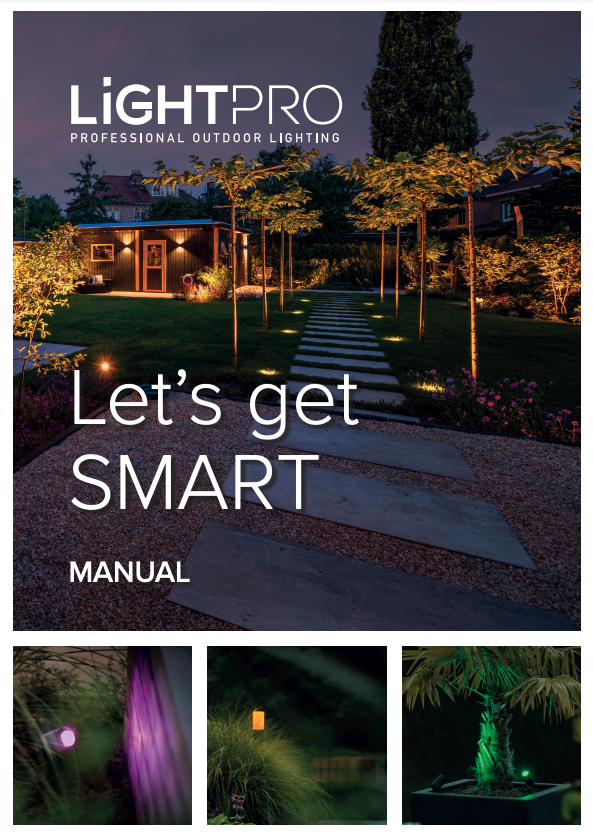
In the SMART manual, you will find information about:
- Installing the Lightpro app: How to download and install the app on your smartphone or tablet.
- Pairing Smart products: Step-by-step instructions on how to connect your Smart lights and accessories.
- Automatic timers: How to set automatic timers on astronomical clock or a schedule.
With our 12V SMART system (Zigbee & Wi-Fi), you can make your garden SMART in no time! Let your lights dim, dance, get brighter and change colour based on your screen or sound.
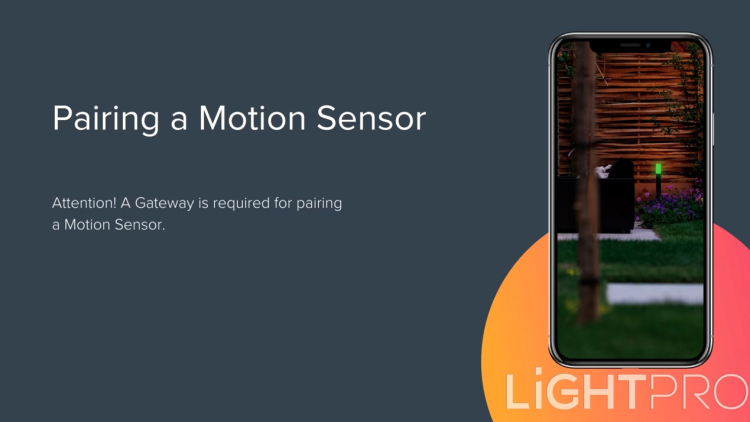
These videos will show you, among other things, how to:
- Pair Smart products: Follow the steps in the Lightpro app to connect and pair your Smart lights, sensors or other devices.
- Set up programming: Learn how to easily set up schedules and automations so that your Smart products automatically switch on or off at specific times or on motion.
Range and Connectivity
Smart outdoor lighting works best when all components communicate effectively. That’s why it’s important to consider the range of the different parts of your system:
The gateway is the heart of your smart lighting system.
- Distance to router: max. 16 meters
- Range to Zigbee products: 20 meters (in open space)
Tip: Place the gateway centrally and avoid obstacles like thick walls or metal objects.
Zigbee products form a mesh network together.
- Range between Zigbee products: up to 20 meters (in open space, without obstacles)
Advantage: A Zigbee light source relays the Zigbee signal, creating a stable and self-healing network.
Note: The motion sensor is part of the mesh network but does not relay the Zigbee signal to another Zigbee product.
The smart camera operates via WiFi. You can also control non-smart lighting via the Lightpro Switch WiFi.
- Range: up to 40 meters (in open space, without obstacles, depending on your router)
Recommendation: Use a WiFi extender for longer distances to ensure a stable connection.
Frequently asked questions
Does the motion sensor transmit the Zigbee signal?
All permanently powered Zigbee devices (such as smart plugs, lamps and some switches) act as repeaters. Battery-powered devices (such as sensors and remote controls) do not amplify the signal. Our Motion Sensor is battery-powered, this means the Zigbee signal is not transmitted.
How do I set the astronomical clock on a Lightpro smart product?
How does the AP mode work on the Zigbee Tuya Gateway?
The AP mode (Access Point mode) on the Zigbee Tuya Gateway allows you to connect directly to the gateway with your smartphone without requiring an active Wi-Fi network. This is useful during setup or when experiencing connection issues.
Steps to use AP mode:
- Reset the gateway: Press and hold the reset button until the LED indicator starts flashing quickly.
- Switch to AP mode: When the LED indicator flashes slowly, the gateway is in AP mode.
- Open the Tuya Smart or Smart Life app and add a new device.
- Select "AP mode" during the connection process.
- Connect your phone to the gateway’s Wi-Fi network, usually named “SmartLife-XXXX” or something similar.
- Return to the app and complete the setup by entering your home Wi-Fi network details.
Once successfully configured, the gateway will connect to your home network and be ready to manage Zigbee devices.
Still having issues? Make sure your Wi-Fi is running on 2.4 GHz and restart the gateway if needed.
How do I set the timer on a Lightpro smart product?
Follow these steps to set a timer for a Smart product:
- Open the Lightpro app – Make sure your product is already connected to the app.
- Select your device – Navigate to the device for which you want to set a timer.
- Set the timer:
- Tap on the Timer option in the device control screen.
- Set the desired time, for example, to turn off the device after 30 minutes.
- Confirm by tapping Save.
The timer works once and will automatically turn the device on or off after the set time. Want a recurring action? Use the Schedules or Scene option in the app.
How do I set up the motion sensor?
There are different ways to set up the motion sensor, check out our tutorial videos here!
How do I set up the camera?
There are different ways to set up the camera, check out our tutorial videos here!
How is it possible that when I am near a WiFi product, the signal is weak, but when I walk away, it picks up the signal again?
This is often because many Tuya WiFi products also have a Bluetooth feature. When you're close to the device, your phone or tablet might automatically connect via Bluetooth instead of WiFi. Bluetooth has a shorter range and lower speed, which makes it seem like the signal is weaker. When you walk farther away, the Bluetooth connection drops, and your device switches back to WiFi, which can provide a more stable signal. To ensure your WiFi works optimally, try temporarily turning off Bluetooth and test the connection again.
What is 2.4 GHz Wi-Fi?
2.4 GHz is the wavelength (also called band or frequency) at which the Wi-Fi signal is transmitted. Wi-Fi over 2.4 GHz has many benefits, as it’s a strong signal that passes through walls, doors and ceilings. Your Wi-Fi network therefore has a long range. Our products only use 2.4 GHz and do not work on 5 GHz networks.
Can you connect on 4G as well?
While configuring a new device, 2.4 GHz Wi-Fi is required. Once the device is installed, you can also control it via 3, 4 or 5G.
Can you also connect via Bluetooth?
No, you need to be connected to a 2.4 GHz Wi-Fi network (in combination with a Gateway). Note that the switch will also operate on Bluetooth.
Does pairing also work on 5 GHz Wi-Fi?
No, you need 2.4 GHz Wi-Fi.
What is the difference between 2.4 GHz and 5 GHz?
The 5 GHz band has a shorter range compared to the 2.4 GHz band because with bandwidth, the higher the frequency, the shorter the range. In other words, if you use a lower frequency such as the 2.4 GHz band, the distance it can cover will be greater than that of the 5 GHz band. Conversely, 5 GHz features higher speeds which is useful for streaming videos and the like. For Lightpro products, this has no added value.
How can you change your router’s Wi-Fi channel?
Press ‘Network Settings’ and then ‘Wireless’. Now you can enter a different Wi-Fi channel under ‘Band’. Now scroll all the way down and click ‘Apply’.
What is the distance in meters that the product may be located from the router to add it to the app?
Make sure your product is no further than 16 meters away from the router to add in the app.
How many meters does the range of Zigbee extend to?
The range of Zigbee is infinite, as communication hops from product to product. You can maintain a maximum distance of 20 meters between two different products.
How many meters does Wi-Fi reach?
Up to about 40 meters.
What is Voice Control?
Voice Control is a feature that lets you talk to devices. Thanks to voice recognition, those devices then know what you are saying. This is a very complex technology that is getting smarter thanks to Artificial Intelligence.
On which devices can I use the Lightpro app?
The Lightpro app works on almost all devices with iOS or Android as the platform.
Do you have to connect the Gateway first and then the light?
Yes, that’s correct, pair the Gateway first before linking the light to the app.
My product does not connect, so what now?
- Check that the device has reset and the indicator is blinking rapidly.
- Check whether it is 2.4 GHz Wi-Fi.
- Check that the Wi-Fi password is correct.
- Check that the distance does not exceed the specified distance (16 meters).
- Check that there are no obstructing objects between the router/Gateway (metal/glass objects). These can negatively affect the maximum distance.
- For Zigbee products, make sure the Gateway is connected and paired.
How do I reset my Gateway?
Using the pin provided, press the reset button on the side for 5 seconds, then wait about 30 seconds until the red light starts flashing rapidly.
How do I reset my smart light?
Turn the light on for 2 seconds and then off for 2 seconds, repeat 3-5 times. Note: do this by unplugging the connector, not by disconnecting and reconnecting the transformer.
How do I reset my motion sensor?
Hold down the reset button for 5 seconds.
How do I reset my camera?
Delete the camera from the Lightpro app so the camera is disengaged! Then press and hold the reset button (under the rubber flap) for 5 seconds.
Do you need a Gateway for the motion sensor?
Yes, the motion sensor works via Zigbee. First pair the Gateway via the Lightpro app before pairing the motion sensor.
Do you need a Gateway for the switch?
No, the switch works over Wi-Fi.
Do you also need a Gateway for the camera?
No, the camera works over Wi-Fi.
How many products can you add to a single Gateway?
You can connect an average garden to one Gateway, but owing to range limitations we recommend connecting a separate Gateway for both the front and back gardens.
My motion sensor doesn’t work. What now?
This could have several causes. The Motion Sensor contains a twilight sensor, which prevents it from detecting movement during the day. It might also be positioned too far from the Gateway. Ensure the motion detector is no more than 16 meters away from the Gateway to connect it in the app. The Motion Sensor needs to be programmed in the Lightpro app to function. Did the Motion Sensor work previously? Then first replace the batteries.
Does the light source remember its status if the voltage drops?
The light source remembers the status the moment the power is lost; as soon as the power is back, it assumes the old status again.
Does the switch remember its status if the power is lost?
The switch remembers its status if the power is lost. However, this is a setting in the switch page of the app. You have three options:
- Off: always off after voltage returns;
- On: always on after power returns;
- Remember: go back to the status before the voltage dropped.
How does the Lightpro app work?
You can find the Lightpro App manual here.
After pairing the gateway, I have to choose between the ‘Bluetooth devices list’ and the ‘Zigbee devices list’. What now?
Our Smart lamps and Motion Sensor work on Zigbee. So add them via the ‘Zigbee devices list’!
I want to pair the products with the Google Home app. Is that possible?
Yes, watch our video to pair your products with Google Home!